
TikTok Lite - Faster TikTok
TikTok Pte. Ltd.Social
4.312.39K Reviews
- Version
- 47.4.51
- Installs
- 10.00M
- Age Rating
- Teen
Screenshots
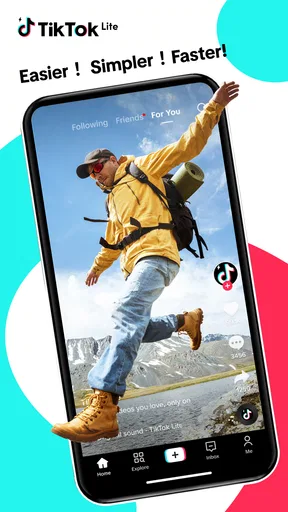
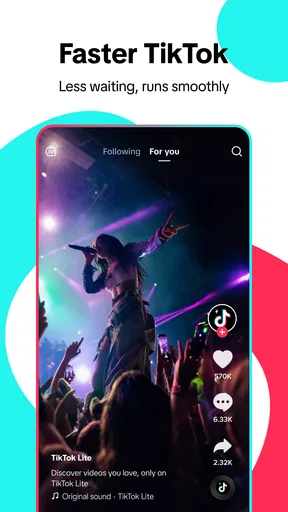
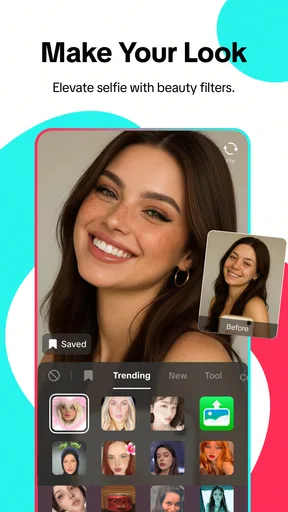
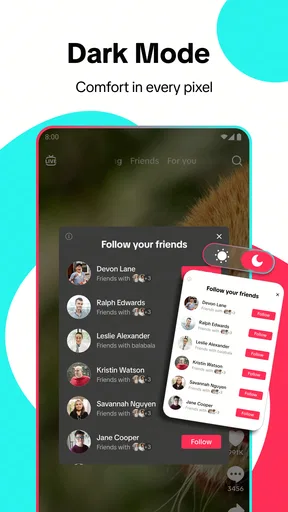
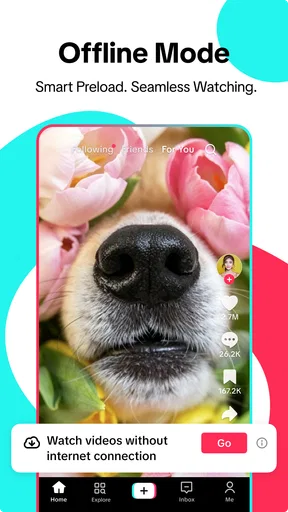
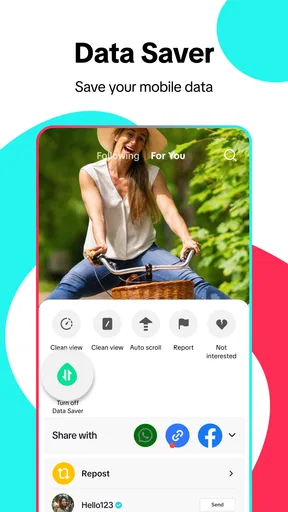
Our Review of TikTok Lite - Faster TikTok
 Analysis by Appyee
When I want a quick break without asking my phone to juggle a lot, TikTok Lite makes a straightforward case for itself. It keeps the focus on short-video browsing, so I can open it, watch a few clips, and leave without needing to explore a complicated set of tools. That makes it especially appealing when I’m using an older phone or trying to keep some breathing room in my storage.
What “faster” feels like in everyday use
The lighter approach is most useful in small moments: checking the feed while waiting for a bus, watching a few clips during a lunch break, or passing time between errands. I’d treat the speed claim as a practical aim rather than a guarantee that every video will load instantly. Connection quality still matters, and a weak signal can interrupt any video app. The benefit is that the app’s emphasis stays on getting into the viewing experience rather than surrounding it with extra creation tools.
If you’re comparing it with the standard TikTok app, the choice is less about which one is universally better and more about what you actually do. For browsing and following creators, Lite can feel like the more focused option. If you regularly make videos and depend on a broader set of editing tools, the full app is the more sensible place to start. I’d avoid installing both just to browse unless you have a clear reason; two versions can make your home screen and notifications feel needlessly busy.
A useful rhythm for short sessions
One small habit helps me get more from any endless feed: decide what I came to watch before opening it. I might check a creator I follow or give myself a short break, then stop when that purpose is met. This matters here because a stripped-back viewing experience can make it easy to keep scrolling. The lighter app can reduce friction at launch, but it doesn’t automatically make a session shorter.
For a realistic example, imagine you have a few minutes before a meeting and your phone is already low on free space. Lite is a reasonable choice for a quick browse, especially if you mostly watch rather than produce clips. If you need to draft, edit, and publish a carefully made video during that same break, the limitations of a lighter version become more relevant. I’d save that work for the full app or another tool better suited to editing, rather than expecting this version to cover every part of a creator workflow.
Data, battery, and practical trade-offs
People often ask whether a lighter app means they can stop thinking about data use. I wouldn’t assume that. Video viewing can still use a connection and consume data, so I’d be cautious on a limited mobile plan and use a trusted Wi-Fi connection when that’s convenient. The app’s lighter design is a reason to consider it, not a promise that every viewing session will be cheap or effortless.
The same goes for battery and storage. A smaller, simpler app can be a good fit when resources are tight, but long stretches of video use can still keep a phone busy. If your device is nearly full, it’s worth checking available space before installing any new app and reviewing what else is taking room. Lite may help make the choice easier, but it cannot fix a phone that is already struggling with several demanding tasks at once.
Who will appreciate the compromise?
I’d recommend this version to someone who mainly watches clips, wants a familiar short-video feed, and values a leaner app on an older or storage-constrained phone. It also suits people who want the core social browsing routine without making video production their main activity. If your priority is a broad creation workflow, detailed editing, or a single app that covers every TikTok task, I’d choose the standard app instead.
There’s also a useful distinction between “simple” and “limited.” Simplicity is a plus when you open the app for a quick laugh or to catch up with creators. The limits matter when a specific feature is central to how you use TikTok. Before switching, think about whether you mostly consume, interact, or create. That quick self-check is more reliable than choosing only because one version sounds lighter.
Let me tell you about TikTok Lite, the speedy sibling of the original TikTok app. If you’re like me and you love quick, engaging content but hate watching your phone’s memory disappear faster than ice cream on a hot day, then this app might just be your new best friend.
Light and Fast, But Does It Deliver?
So, what’s the deal with TikTok Lite? Well, it’s designed to be a lighter, quicker version of the app we all know and love. I mean, who doesn’t appreciate an app that promises to eat up less data and storage space? With its smaller size, it’s perfect for devices with limited storage. I was actually surprised at how smoothly it ran on my older smartphone.
User Experience: Simplicity at Its Best
When I first opened the app, it was like meeting a familiar friend. The interface is pretty much the same, with that addictive scroll-through feed of short videos. The key difference? Everything seems to load a bit faster. I found it refreshingly simple. You know that feeling when you don’t have to wait for a video to buffer? Yeah, that’s the vibe here.
Navigation is seamless. The home feed, discover page, and profile sections are all present and accounted for. However, some editing features from the original app are missing. But, honestly, it didn’t bother me much, since I was mainly here to consume content rather than create.
Content and Features: What’s Available?
Here’s where things get interesting. While TikTok Lite offers a lot of the same content, it doesn’t have all the fancy features of its bigger brother. For instance, the app doesn’t support uploading videos longer than 15 seconds. But hey, sometimes less is more, right?
It’s great for those who love swift entertainment without the bells and whistles. You can still follow your favorite creators, like videos, and engage with content. I found this stripped-down version perfect for quick browsing sessions. Plus, it’s easier on the battery, which is a win in my book.
Who Should Use TikTok Lite?
If you’re someone who lives in an area with spotty internet or you’re just trying to conserve data, TikTok Lite is a solid choice. It’s ideal for users with older or less powerful devices. It’s also perfect if you’re a minimalist at heart and all you need is the core experience.
In conclusion, if you’re looking for a fast and lightweight way to enjoy TikTok, this version has got you covered. Sure, it lacks some features, but if you’re mainly in it for the endless stream of creativity and laughs, you’ll hardly notice. So, why not give it a whirl? You might just find it’s exactly what you need for your daily dose of fun.
How I’d decide before switching
A sensible way to choose is to list the few things you actually do in TikTok, rather than compare every feature in both apps. If your routine is watching, following accounts, and reacting to clips, Lite lines up with that habit. If your routine includes making videos, trying effects, or polishing a post before sharing it, check whether the tools you rely on are available before moving your whole workflow. A lighter app is only an upgrade when its trade-offs don’t interrupt what you came to do.
For someone who is unsure, I’d make the first session a test rather than a permanent switch. Open the feed on the connection you normally use, visit a few followed creators, and see whether the experience feels comfortable on your phone. Then decide whether the missing creation options matter in practice. This is more useful than judging from the app’s name alone, because perceived speed depends on your device, signal, and viewing habits.
Social browsing without a creator-first setup
As a social app, TikTok Lite works best when you think of it as a way to keep up with short-form video and the people who make it. Following creators gives a casual viewing session some direction; otherwise, an endless feed can turn a quick check into a longer detour. I’d use it to catch a few updates or share a clip I enjoyed, while keeping expectations modest about managing a full publishing routine from this version.
Compared with other short-video or social feeds, the appeal here is its connection to the TikTok experience many people already recognize. The trade-off is that a lighter build may not suit someone who wants every creation option in the same place. If you already use another social app mainly to keep up with friends, Lite may not replace that role; its strongest fit is casual video discovery and creator-following, not every kind of social communication.
Stability and recovery when things feel slow
No app can make a poor connection behave like a strong one, so I wouldn’t read a pause or delayed clip as proof that Lite itself is unreliable. If loading feels uneven, I’d first try a different connection or close other tasks that are putting pressure on the phone, then reopen the feed. That simple check helps separate network trouble from a device that is short on room or busy doing too much.
If the app stops responding, I’d avoid immediately reinstalling it. First, leave and reopen it, and check whether the rest of the phone is also sluggish. If only video loading is affected, the connection is a more likely place to start; if the whole device feels strained, freeing storage or closing other apps may help. These are ordinary troubleshooting steps, not a guarantee, but they keep a minor slowdown from turning into unnecessary setup work.
Who should skip the lighter version?
I wouldn’t steer a frequent creator toward Lite without checking the specific tools they use. The short upload limit described in the original experience is a meaningful constraint if your posts regularly run longer, and missing editing options can add extra steps to a workflow. People who want one place to record, refine, and publish more elaborate videos will likely be happier with the standard TikTok app or a dedicated editing app alongside it.
It may also be the wrong choice if the main reason you use social apps is to message friends or manage a broad set of interactions rather than watch short videos. Lite’s value is clearest when the feed itself is the point. If that isn’t how you spend your time, a different social app may fit better than choosing between two TikTok versions.
A quick look at the app itself
TikTok Lite is a free social app from TikTok Pte. Ltd. It has a Teen content rating, an average rating of 4.3 from around 50,000 ratings, and more than 10 million installs. It was released on December 6, 2024, and version 45.0.56 supports Android 5.0 and later. Those details make it easy to check whether it fits your device and the kind of audience using it; the rating is useful context, though it can’t predict how well the app will suit your own phone or habits.
My performance verdict is measured: I see Lite as a practical option for watching TikTok on a device where storage or responsiveness is a concern, not as a magic fix for weak internet or heavy multitasking. Its stripped-down focus is a genuine advantage for casual viewing, while the reduced creator workflow is a real cost. If you mostly scroll, follow, and react, I’d give it a try; if creating and editing are central to your use, the fuller app is the better fit.
Privacy and Permissions
See what permissions an app requests and how it handles your data.
- Device & app history
- retrieve running apps
- Contacts
- read your contacts
- Phone
- read phone status and identity
- Photos/Media/Files
- read the contents of your USB storage, modify or delete the contents of your USB storage
- Storage
- read the contents of your USB storage, modify or delete the contents of your USB storage
- Camera
- take pictures and videos
- Microphone
- record audio
- Wi-Fi connection information
- view Wi-Fi connections
- Device ID & call information
- read phone status and identity
- Other
- view network connections, create accounts and set passwords, full network access, run at startup, reorder running apps, set wallpaper, control vibration, prevent device from sleeping, toggle sync on and off, install shortcuts, uninstall shortcuts
Verdict
Strengths of TikTok Lite - Faster TikTok
- Consumes less data than the full version.
- Runs smoothly on low-end devices.
- Faster loading times for videos.
- User-friendly interface with essential features.
- Takes up minimal storage space.
Limitations of TikTok Lite - Faster TikTok
- Limited editing tools compared to full TikTok.
- No option for live streaming.
- Fewer filters and effects available.
- Less frequent updates and new features.
- Lacks some interactive community features.
Other Releases by TikTok Pte. Ltd.
View All
TikTok - Videos, Shop & LIVE
Social4.0

TickTock-TikTok Live Wallpaper
Tools4.7

TikTok Studio
Video Players & Editors4.5

TikTok Shop Seller Center
Shopping4.3
Similar Picks in This Category
View All
Meta Platforms, Inc.4.6

Instagram4.0

Likee-Live, Chat & Party Games
Likeme Pte. Ltd.4.4

Facebook Lite
Meta Platforms, Inc.4.5
TikTok - Videos, Shop & LIVE
TikTok Pte. Ltd.4.0

Moj: Free Short Drama & Reels
ShareChat4.1
Frequently Asked Questions
What is TikTok Lite and how is it different from the regular TikTok app?
TikTok Lite is a streamlined version of the popular TikTok app designed to provide a faster experience with lower data usage. It retains core features such as video browsing and creation but omits some advanced tools to ensure smoother performance on devices with limited storage or slower internet connections.
Can I create and upload videos using TikTok Lite?
Yes, TikTok Lite allows you to create and upload videos, just like the regular app. However, it may lack some of the more advanced editing features available in the full version. This ensures the app remains light and quick, especially for users on less powerful devices.
Does TikTok Lite take up less space than the regular TikTok app?
Absolutely, TikTok Lite is designed to take up significantly less storage space on your device. This is ideal for users with limited storage capacity, ensuring that you can still enjoy the TikTok experience without compromising your device's performance or storage availability.
Is TikTok Lite available for both Android and iOS devices?
TikTok Lite is primarily available for Android devices. As of now, there isn't an iOS version of TikTok Lite, so iPhone users will need to use the standard TikTok app. The Android version focuses on optimizing performance for lower-end devices and regions with slower internet speeds.
Are there any limitations in the TikTok Lite version compared to the standard app?
While TikTok Lite offers a faster and more data-efficient experience, it does come with some limitations. These include fewer filters and effects, and a more basic interface. These trade-offs are made to ensure the app runs smoothly on devices with limited specifications.
